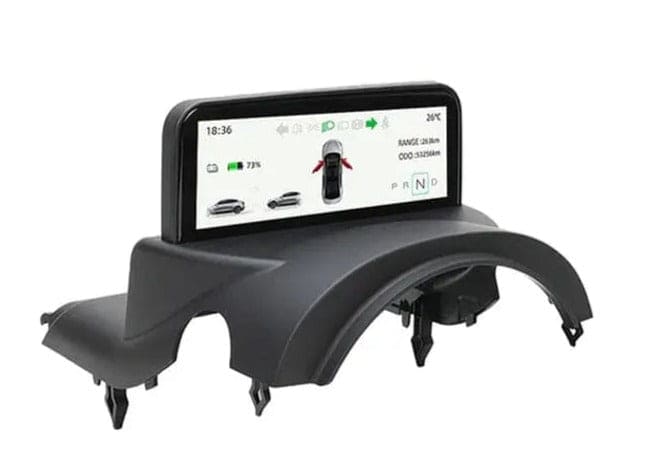
Tesla Phone Holder: 7 Best Options for Model 3, Y, S, and X

The Model Y and Model 3 don't have a traditional instrument cluster — everything runs through that large central screen and your phone. Keeping your phone secure, visible, and within easy reach matters more in a Tesla than in most cars. This guide covers the main types of Tesla phone holders, what to look for, and what actually works in a Tesla interior.
Types of Tesla Phone Holders
Tesla's interior design limits where a phone holder can go. The dashboard is mostly curved glass, and Tesla strongly discourages windscreen mounting. The most practical options for Model 3 and Model Y are centre console mounts and magnetic dashboard mounts that use adhesive pads on flat interior surfaces. Air vent mounts are popular and easy to install, though vent compatibility varies by model year.
- Magnetic dashboard mounts — use adhesive plate on phone case, attach to dashboard surface
- Centre console mounts — custom-fit tray or bracket for the console area
- Air vent clip mounts — quick to install, but vent profile differs between Model 3 and Model Y
- Wireless charging stands — combine secure hold with Qi charging
What to Look for in a Tesla Phone Mount
The Tesla interior is premium — any mount needs to sit cleanly without scratching surfaces or leaving residue. Magnetic mounts work well if the magnet is strong enough to hold a phone with a case under braking. Check compatibility with your specific model year: the Model 3 Highland (2024+) and Model Y Juniper (2025+) have updated console and dashboard profiles that affect fitment. If you use a thick protective case, check that the mount supports it.
- Confirm compatibility with your model year (pre-Highland, Highland, standard Model Y, Juniper)
- Choose mounts with adjustable arms if you swap between multiple phones
- Wireless charging mounts eliminate cable clutter — ensure they're Qi or MagSafe compatible
- Avoid suction-cup windscreen mounts — not suited to Tesla's curved glass
Shop This Product
Tesla Phone Holders and Wireless Charging Mounts — designed for Model 3 and Model Y interiors
Fits: Tesla Model 3 and Model Y (confirm your year for console mounts)
Ships from Melbourne in 24hrs
Free shipping on all orders
Installation and Day-to-Day Use
Most Tesla phone mounts are tool-free installs. Adhesive mounts need a clean, dry surface — wipe the mounting area with an alcohol pad before sticking. Allow 24 hours for adhesive to fully cure before loading the mount with a phone. Magnetic mounts work best with a metal plate inside the phone case rather than glued to the outside. Test stability at speed before relying on the mount for navigation on a longer trip.
- Clean mounting surface with alcohol before applying adhesive
- Allow adhesive to cure fully before use — typically 24 hours
- Magnetic mounts: use a thin metal plate inside the case for stronger hold
- Test stability on a short drive before a road trip
A secure, accessible phone mount is one of those small upgrades that improves every single drive. Every product at Tes Accessories is fitment-checked before it goes live. If you're unsure about compatibility for your specific Tesla, email us at support@tesaccessories.com.au — we'll point you in the right direction.
Tes Accessories is an independent Australian-owned store and is not affiliated with Tesla, Inc. All Tesla trademarks are property of Tesla, Inc. and are used for identification purposes only. ABN: 15731363041